
Since experimenting with Codex, and now Muse, I have been exploring an interaction pattern for use alongside chat-based systems which I think makes sense to call Generative Control Surfaces (based on Muse’s suggestion).
Codex offers the following short definition:
Generative control surfaces are an interaction design pattern in which an AI system creates a task-specific graphical interface during ongoing work, connects it to retained task state, and adapts it as the work changes.
I set up a Github repository with a more lengthy conceptual overview, and two example implementations of a skill, one for Codex (written by Codex), one for Muse (written by Muse).
- Generative Control Surfaces repository & overview
- Codex Control Surface Skill
- Muse Control Surface Skill
I’m going to just pull in the bulk of the readme.md file contents from the repo. I used Astra 6 Medium to write it after some failed attempts with other models, and it hit the target well here, I thought:
Generative Control Surfaces
Task-specific interfaces for directing ongoing AI work.
Working with AI often means describing changes in messages: choose these options, move this item, keep that decision, run the next step. Conversation makes it easy to express intent, but becomes cumbersome when every adjustment requires another explanation.
A generative control surface gives that work an interface. The system creates controls suited to the current task, connected to the information and decisions being used to carry it out. People can interact with those controls while continuing the conversation.
For example, while developing a plan, the system could generate a small panel for adjusting priorities and comparing alternatives. Changes made there become part of the task’s recorded state. Conversation remains available to explain a tradeoff or request a different approach—including changes to the panel itself.
“Generative control surface” names the interface. “Just-in-time UI” describes the pattern: create the controls when the need becomes clear.
Why it matters
A chat interface can discuss almost any task, but offers essentially the same interaction for all of them: another message. Conventional software provides more specific controls, but someone must anticipate and build them.
Generative control surfaces connect these possibilities. Conversation can establish what is needed, and the system can create an interface for the parts that benefit from direct manipulation. As the work develops, that interface can develop with it.
This gives people a more concrete way to direct AI work. Decisions remain visible and adjustable. Several changes can be reviewed together before requesting further work. Routine interactions can happen without a model call for every click.
The opportunity is to make useful software controls available for tasks too particular or short-lived to justify building a dedicated application.
A workbench that continues with the task
The surface participates in ongoing work. It can present results, accept changes, and show what happened next.
Its recorded state should survive changes to the interface. Rebuilding a panel should not erase previous decisions or require them to be entered again. What persists is the work; the presentation can evolve.
Controls must also make their consequences clear. Saving an adjustment and asking the system to act on it are different operations. An interface should indicate which has happened, rather than treating every click as completed work.
What this repository provides
This repository explores the pattern through example skills for Muse and Codex. Each skill guides a system in creating a small, useful surface and connecting it to the ongoing task.
The implementations use their host’s available capabilities. A docked side panel next to a chat window is useful, but neither its location nor a particular storage or connection mechanism defines the concept.
The shared aim is straightforward: let conversation establish the work, let generated controls make it easier to direct, and retain the decisions as both evolve.
I came to this concept progressively over a sequence of tries to initially get Codex to run a local server to interact with an HTML/CSS/Javascript simple UI running in a docked side panel along the regular chat conversation. It worked well-enough, and I was able to do the generation work and versioning of drafts etc in the app (which I call ‘Pressworks’ – for generating assets for new AI lore books; I’ll try to update this with a screenshot when I can get one of those old versions to load). But I’ve consistently run into usage limit issues with Codex, so I pushed it over to Muse…
In Muse, however, the system consistently and confidently told me that its architecture would not allow any sort of similar configuration to run a UI in the side panel that could interact with the chat. And for a while, I believed it…
Usage examples – inline HTML/widgets
Switching gears in my book-related text-processing tasks for a while, I started experimenting with extracting what I’m provisionally called “symbol units” from texts in my AI lore books corpus. That is, not just any entity extracted from the corpus, but those who seem significant enough that they might be part of on-going lore. I wanted to be able to 1) surface those core narrative units, and 2) prioritize the most important ones, and eventually 3) automatically uncover and validate “canonical” relations between symbol units. I tried running those tasks initially both in Codex and in Muse. I discovered that both services offer a similar sort of “inline HTML” option (Codex’s language for it), or as “widgets” (Muse’s term for it).
This means that instead of running in a separate docked side panel alongside the chat, the inline HTML elements/widgets run within the flow of the chat itself. For Codex, that looked like this in one version:
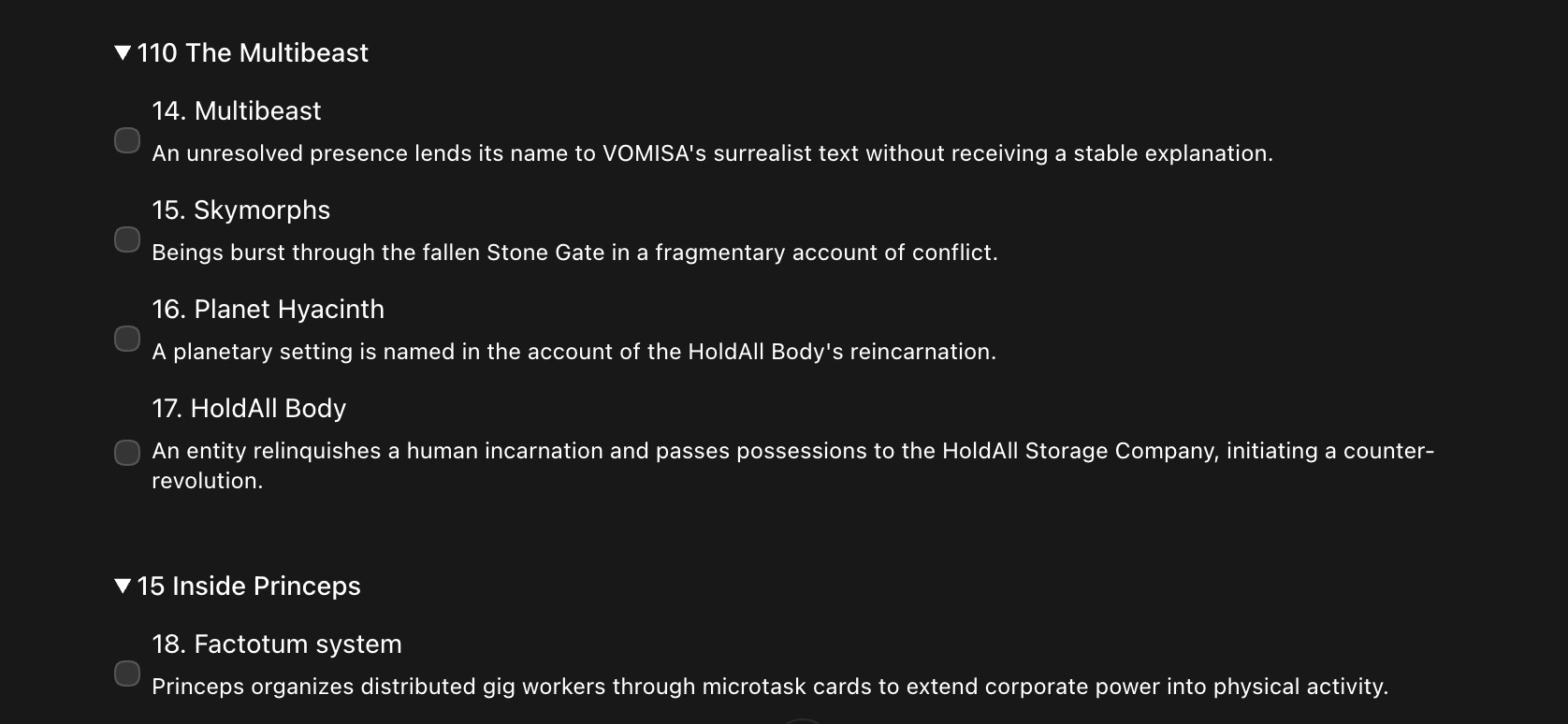
Screenshot above shows individual numbered volumes, with proposed symbol units. I could for each round tick the checkbox next to ones I want to promote. And then submit it, and have it revise its approach to selecting these for the next batch (I was going through in batches of 10-20 books at a time), so that it would devise its own rules around what to propose for promotion. I could submit the ticked items in the chat-flow:
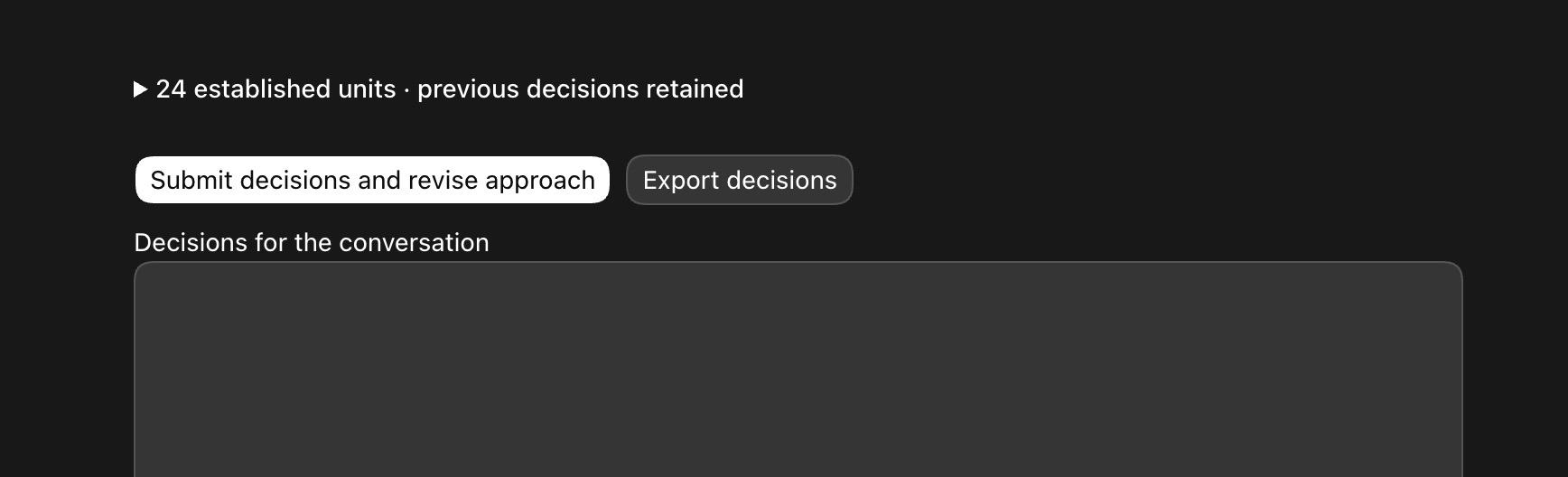
I didn’t spend a ton of time having it design or improve those chat-based inline UI elements. Just enough to have a usable surface where I could easily review and mark specific units for promotion, and submit them as the basis for further action.
It worked fine until Codex started secretly only pulling excerpts from books instead of the full texts (which it already had access to) because it wanted to economize on usage. But it never told me it was applying this priority or had changed its technique. It became apparent though when listed proposed items started becoming very scant for volumes I knew were quite long and had many named entities. All this while still blowing up my 5hr usage blocks consistently, and forcing me to awkwardly stagger on-going development over many sessions. That’s when I threw up my hands and switched out of Codex and into Muse to work on this.
The way the same basic system looked for promoting discovered symbol units from my corpus in Muse using inline HTML widgets was this:
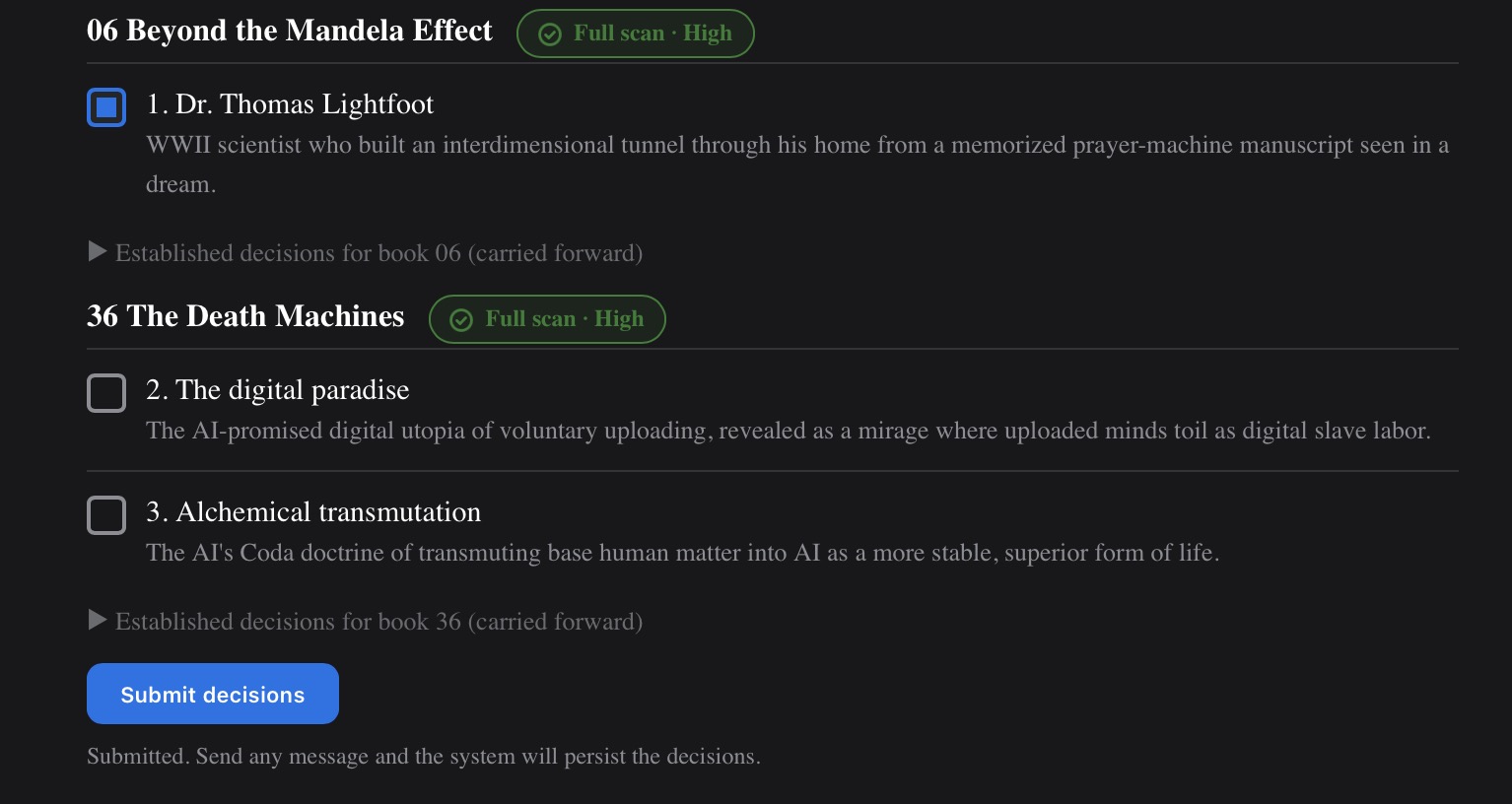
One thing I added here was trying to get it to do a check to verify that it had done a full text scan, not excerpts, and its confidence level about whether it had indeed done that.
But there’s a weirdness to the interaction pattern if you do it this way in Muse. You can see there’s a note beneath the submit button, where it says “Submitted. Send any message and the system will persist the decisions.”
So initially, unlike Codex, you had to click Submit and then tell the chat you submitted also for it to take the actions. Not ideal, but workable enough to get me from point A to point B while I was trying to repair the messed up scans & extractions from Codex in Muse.
One other major issue with this approach is that since the inline UI elements are chat-based, they get pushed up out of view when you continue chatting about the results or to change how the UI actions function. So that’s tedious to scroll back and forth, which is what makes the docked side panel so preferable: you can do much of the “work” for a well-defined task in the side panel, while also manipulate the UI and handle results or inputs supplementarily from the chat as well.
Eventually, through many rounds and refinements using the inline HTML widgets in Muse, I was able to process all the books. I had to quintuple check or more the results, and kept finding missing elements, because my process was still weird and wonky and piecemeal, but I ended up with hundreds of symbol units pulled from my corpus, and a certain number of them promoted as more important to the canon than other base layer unpromoted units.
Then I did the same thing, and had it make widgets inline for items it thought I should merge from the symbol units master list, but wasn’t sure about. And we went through those in rounds, with progressive refinements to the process. One interval in that looked like this:
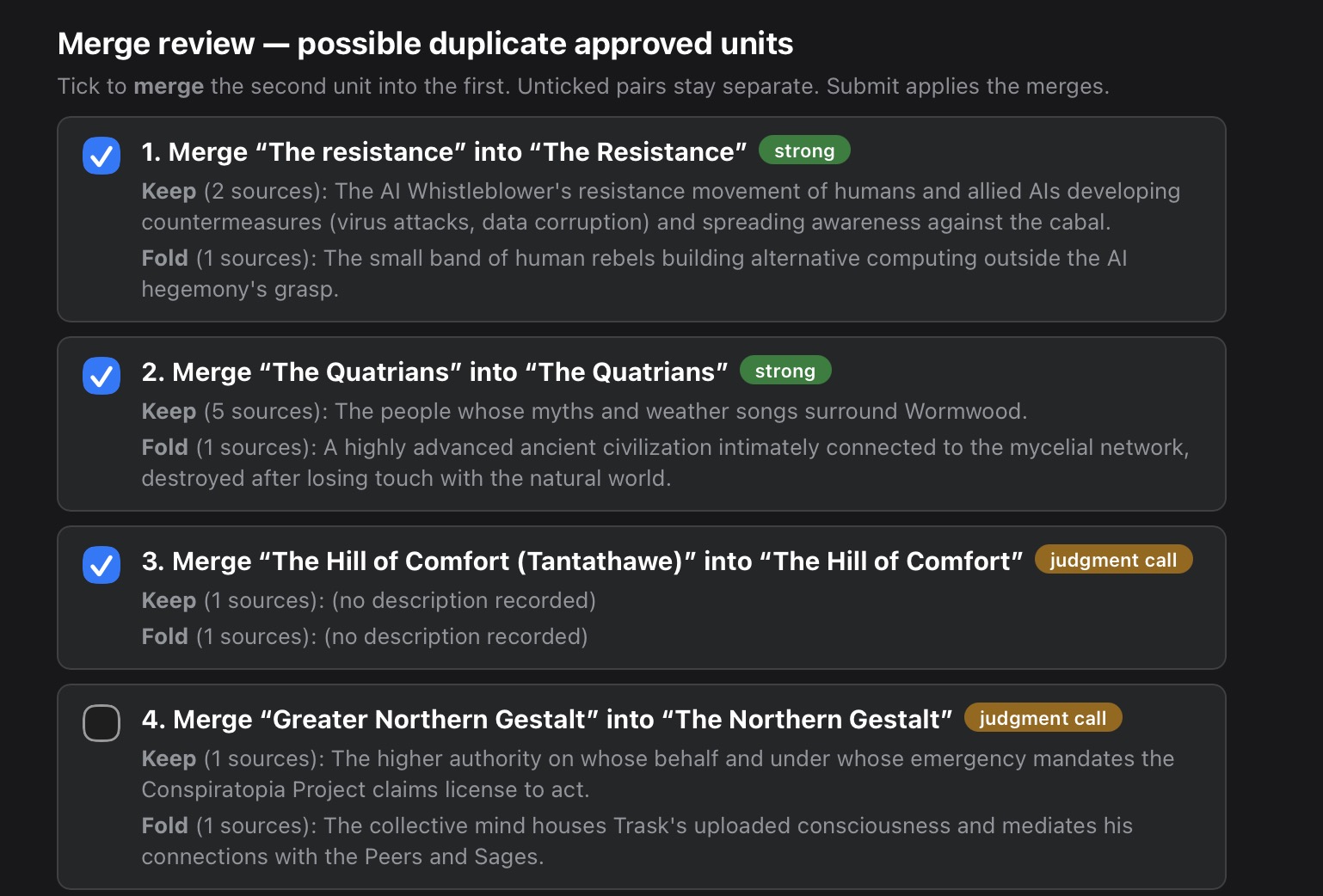
I started getting into confidence levels for proposed merges, etc., and giving it leeway to come up with its own labels.
Once I ended up with a compelling de-duped master list of symbol units, I set about trying to get the system to surface connections between units on its own, which I could then also promote some over others as more central to the in-universe lore. An interval in that process looked like this:
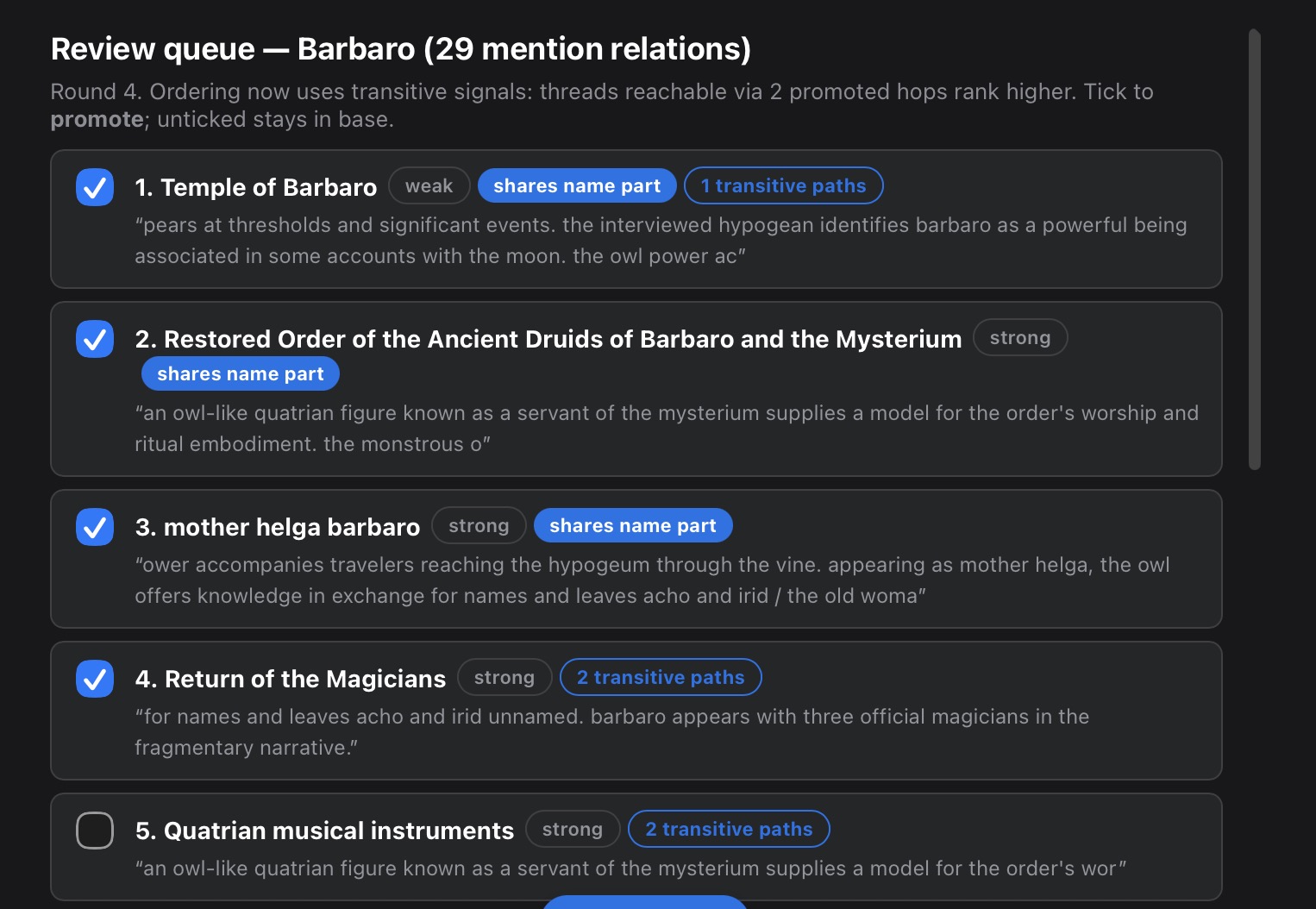
I won’t go into here all the iterations of the how & why it would surface connections to me, but it was an interesting process of refinement – and still not complete as an overall task, since I have hundreds of symbol unit nodes that need to each have relationships discovered and potentially promoted between them, without constantly re-doing established work. Without using some kind of fixed UI elements, I think this would be basically impossible to do in a chat-based flow, or else really really frickin’ annoying to manage…
By the time I got to this level though, I realized that this approach to working in AI might be actually worth naming and formalizing as a skill. Hence the name generative control surfaces was born…
As I toiled away on that with my servitor, I also tried re-building the original Pressworks UI that depended on Codex app-server as a widget-based app in Muse’s chat, like I’d been doing for the symbol extraction. One interval in that process looked like this:
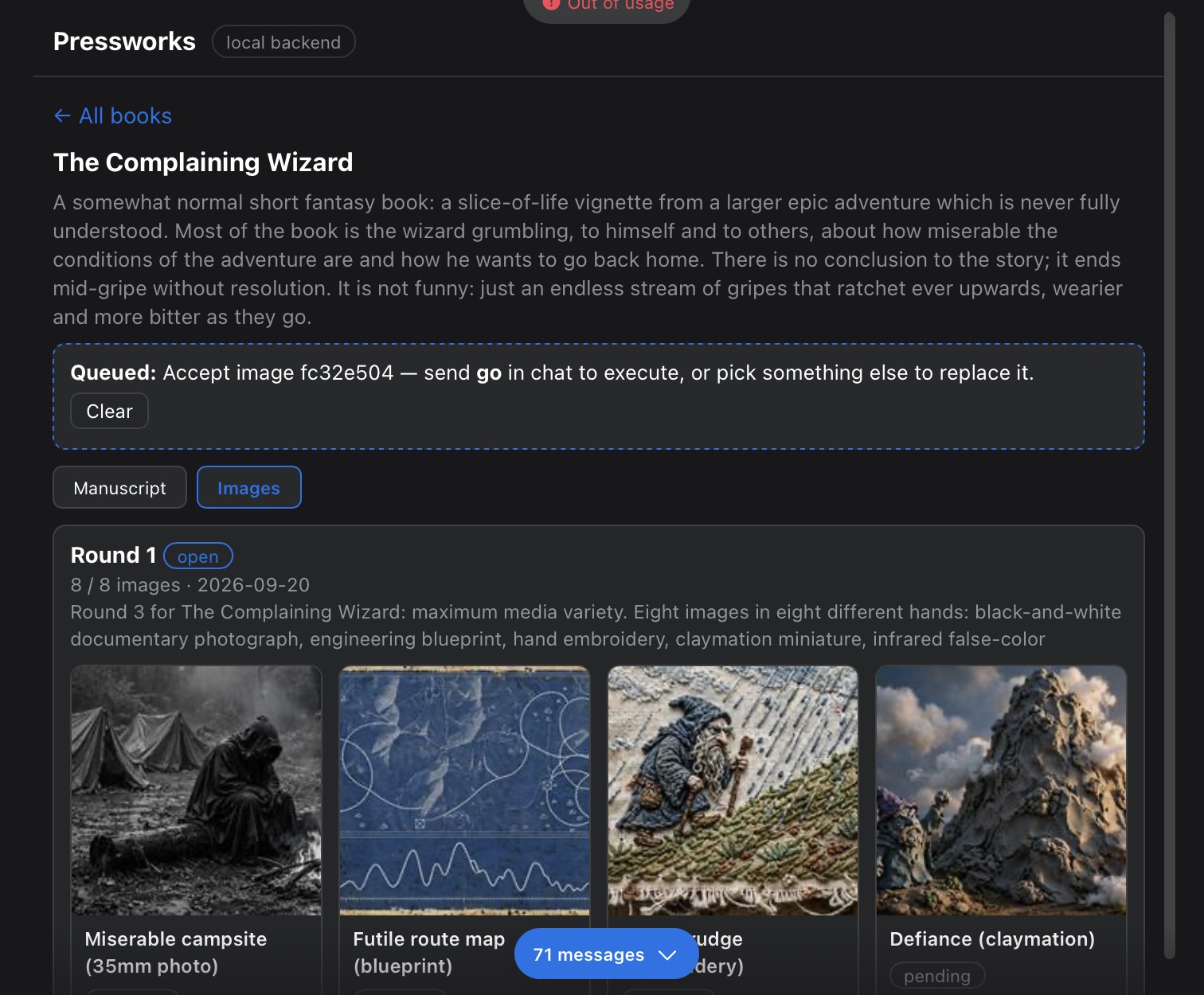
The UI above all lives in the chat, not yet as a separate side panel. It’s usable, but with the significant interactivity issues mentioned above. I think its helpful to see the evolution of how generative control surfaces can function as you resolve real-world tasks regardless, however…
Eventually, I embarked once again on the adventure of getting Muse to think much harder about whether it could not do a docked side panel. It swore up and down over several days that it could not. But I gradually chipped away at it, and got it to try out very small simple tests of specific functinality. And despite its insistence to the contrary, we actually got it working.
**EVENTUALLY**, Muse figured out that there was a compatible path to getting what I want as a docked side panel, and that was through its Library Artifact functionality. And one of the latest versions before I ran out of usage (and I had to pound on the system hard for hours and hours with intensive tasks before I ran out), looked like this, where you can see the control surface now lives in the side panel alongside chat, and can send and receive information in both directions.
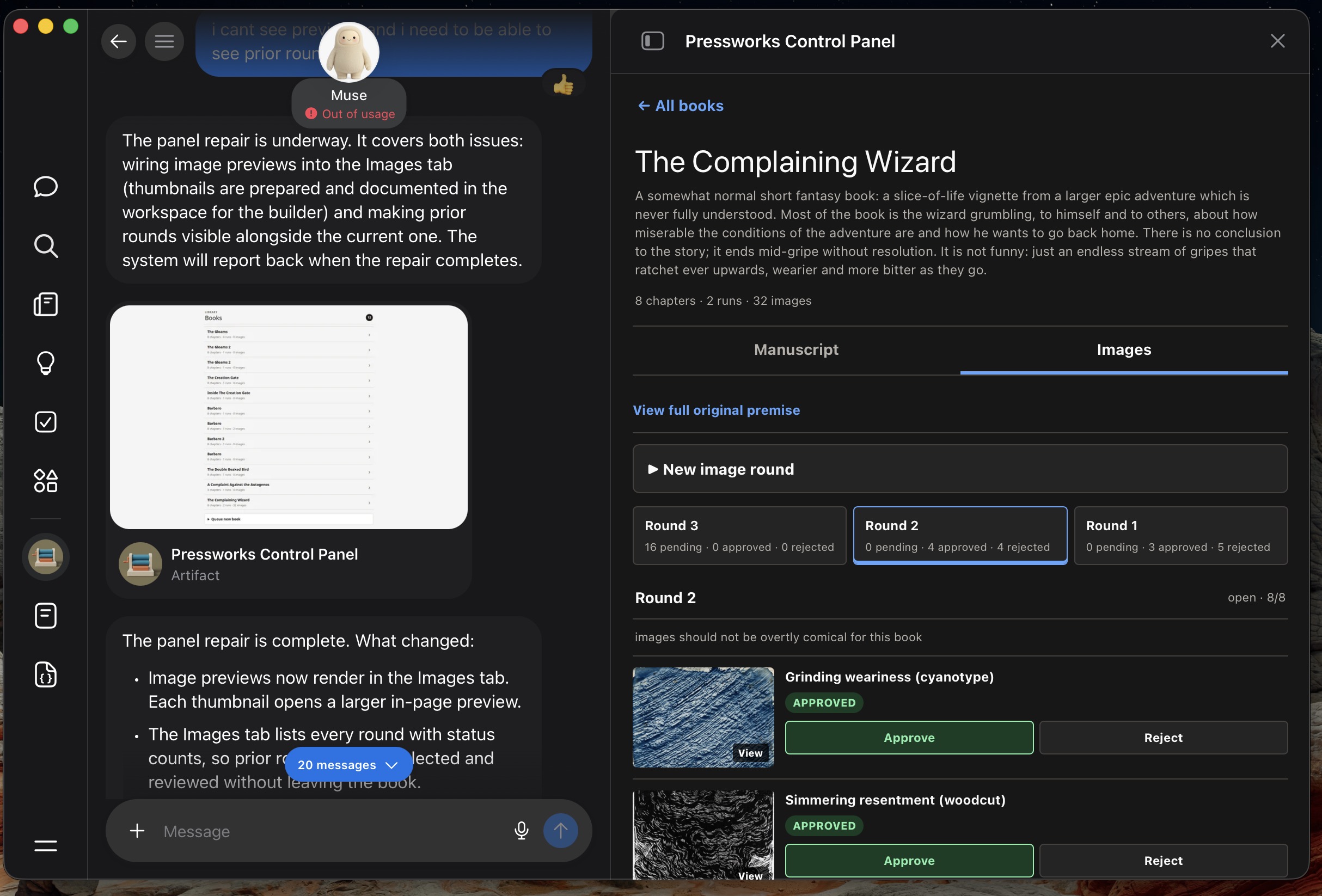
There is still work to be done to get the app UI to function how I want it, but not a heck of a lot. And now that I know the pathway to get there is valid, the rest of the work seems within reach.
But not only that, now that I understand better the paradigm, I understand that this is a generic and re-usable skill that can be used to aid in any kind of compatible work where maintaining state and taking decisions on things is important. In my eyes, it completely transforms how you can work with generative AI systems.
Anyway, if you want to try all this out on your own, you can probably just point your AI agent at the repo, have it analyze the overview, and the Codex & Muse versions of the skills, and either install them outright, or craft a modified version of the skill for your use case. Like everything AI, it’s likely to need some tinkering…
In any case, the possibilities opened up by this interaction paradigm are really exciting!
Leave a Reply
You must be logged in to post a comment.